Updated 2026-11-26 · Early Access ($39.99 USD)
Prerequisites & Camera Tools
- July & September 2026 Camera Upgrades: Virtual MX Studios expanded both first-person and third-person cameras in the July and September 2026 Steam News Dev Updates.
- Capture & Scouting Modes: Separate Free Camera (May 2026), Photo Mode, and Replay Mode (July 2025 & July 2026) are built into the Unreal Engine 5.7 client.
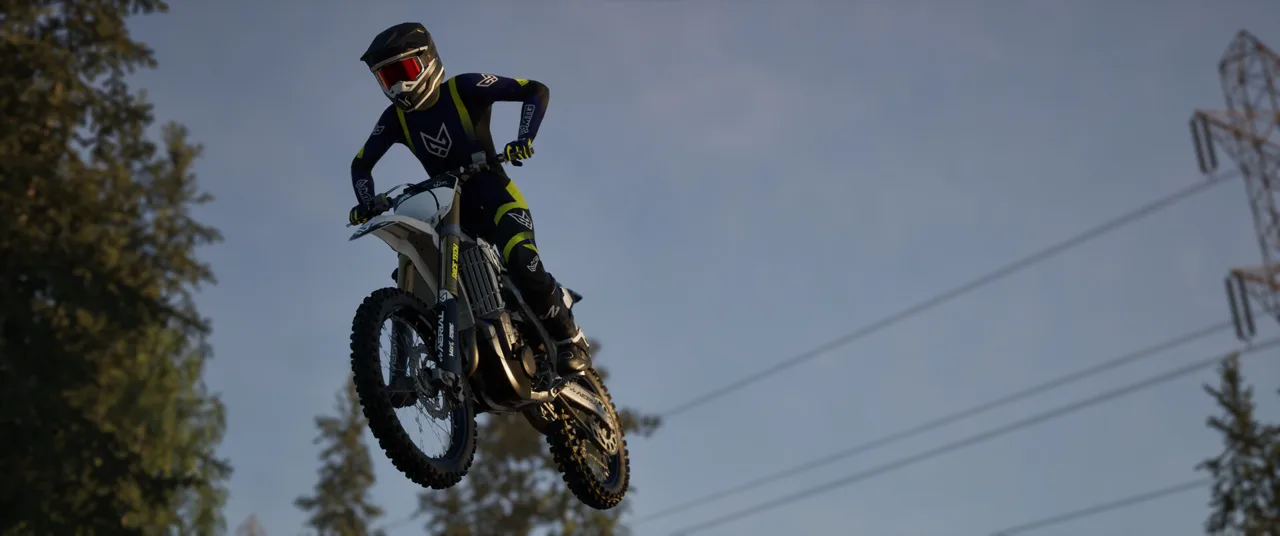
Step-by-Step: Tuning Your Camera & Using Replay / Photo Mode
- Switch Views (
D-Pad Up) & Choose Primary vs. Secondary Presets: Press Up on the D-Pad (Xbox layout) on-track to switch between first-person cockpit/helmet view and third-person chase view (Controller & Input Setup)—September 2026 also added secondary first-person and third-person camera setups for different riding preferences. - Dial In
FOV, Distance & Height: Adjust Field of View (FOV), camera distance, and camera height so braking markers and inside ruts stay legible without warping speed perception. - Tune
Corner Anticipation&Side Offset: Use corner anticipation and side offset (September 2026) to keep upcoming apexes and berm exits framed clearly while leaning deep into turns. - Scout Tracks With
Free Camera: Open Free Camera in solo sessions to inspect rut shapes, triple landing slopes, and off-track telemetry boundaries before pushing Time Attack laps. - Review Runs in
Replay Mode&Photo Mode: Replays are disk-space optimized and display each rider's selected custom gear and bike livery rather than placeholder kits (July 2026), while Photo Mode captures trackside stills.
1st-Person vs. 3rd-Person Verdict & Recommended FOV Ranges
Virtual MX Studios has not published official numerical FOV defaults; treat the ranges below as community-tested starting points to adjust around your monitor size and aspect ratio:
- Verdict — Which View Is Faster in Early Access?: Use 1st-Person Helmet / Bar Cam for Time Attack and technical rut precision (direct handlebar alignment makes inside-rut entry and jump-face speed easier to judge, and avoids early 3rd-person rider animation stiffness), and switch to 3rd-Person Chase Cam for 20-player casual / P2P traffic and learning mid-air whip angles where peripheral bike spacing matters. Press D-Pad Up (Xbox layout) anytime on-track to swap views.
- 1st-Person Helmet / Bar Cam (
95°–105° FOV, Community Starting Range): Favored by competitive Time Attack grinders for precise front-tire rut placement—and completely bypasses the somewhat stiff 3rd-person rider body animations noted in early launch builds (since Rider Physics V5 decouples physics forces from visual character animations). - 3rd-Person Chase Cam (
85°–95° FOV+ Moderate Corner Anticipation, Community Starting Range): Best for reading rear-wheel slip angles, scrub whip clearance, and side-by-side P2P race spacing without fisheye depth distortion before triple lips. - Free Camera, Photo Mode & Keyboard Bindings: Check the in-game Controls menu for your active keyboard camera-toggle, Free Camera movement, and Replay playback controls, as Steam store/news updates have not published an official full keyboard reference sheet.
What Camera Tuning Improves
- Earlier Braking & Rut Readability: Proper corner anticipation and height prevent blind crest landings on Green Peaks and Estrella MX.
- Consistent Physics Reference: Keeping a steady camera height helps judge front-wheel rut locking and rear-end slide angles accurately.
Common Camera Mistakes & Fixes
- Extreme Wide FOV on Technical Ruts: Excessively wide FOV flattens depth perception before jump lips and narrows visual rut width; tune FOV moderately alongside camera distance.
- Confusing Replay Custom Gear Bugs With Setup Loss: Older pre-July 2026 Alpha clips used generic gear in replays; current EA builds render each rider's saved customization.
Sources
- Steam App ID 3188660 — Motocross The Game
- July 2025 Steam News (Photo Mode)
- May 2026 Steam News (Free Camera)
- July 2026 Steam News (FOV & Replay Mode)
- September 2026 Steam News (Secondary Presets & Corner Anticipation)
- Steam Discussions — Camera View Toggle (D-Pad Up) & Respawn Marker Hold
Next: check Controller & Input Setup or Time Attack & Ghost Racing.